Why Does WiFi Slow Down at Night? Diagnosis & Expert Solutions
Resolve Evening Buffering, Wireless Channel Congestion & Network Drops Across Dubai & the UAE
Why Does Your WiFi Work by Day but Crawl Every Evening?
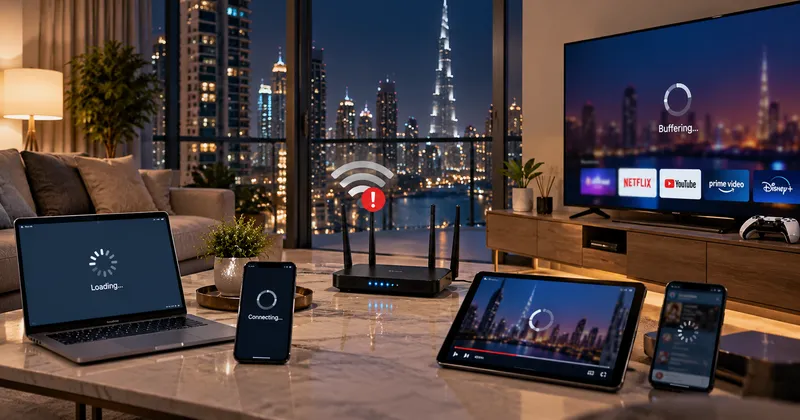
Have you noticed that your WiFi works smoothly during the day but suddenly becomes slow, unstable, or unresponsive at night? This is an extremely common issue in apartments, villas, and commercial properties throughout Dubai and the UAE. In most situations, your WiFi is not permanently broken.
Evening peak internet usage, dense radio channel interference from neighboring apartments, excessive connected devices, router memory leaks, and local network congestion frequently combine to throttle your connection after sunset.
At WiFi Expert Team, we are a trusted network engineering company helping clients locate the actual bottleneck. We provide an honest technical audit to determine whether you need a simple channel adjustment, better access point placement, or wired Cat6 backhaul, keeping your repair and upgrade cost also affordable.
Tired of Evening WiFi Buffering & Constant Dropouts?
Connect with our senior network engineer on WhatsApp for an honest, real-time assessment of your evening speed drop.
WhatsApp Us NowPrimary Causes of Evening WiFi Slowdowns
Before paying for an expensive internet plan upgrade that may not solve the underlying issue, understand the primary factors responsible for nighttime latency:
1. Concurrent Device Saturation
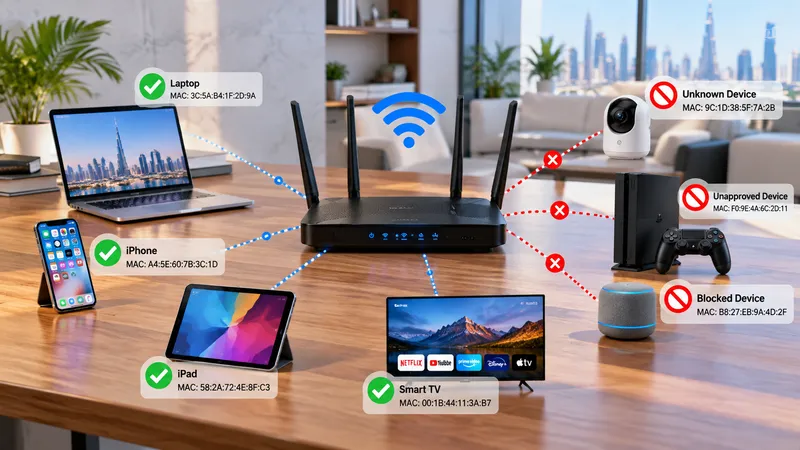
At 2 PM, your network may only handle 2 phones and a laptop. By 9 PM, everyone is home: 5 smartphones, 3 laptops, 2 smart TVs, gaming consoles, and smart appliances simultaneously demand network airtime.
2. Heavy 4K Streaming & Gaming
Multiple household members streaming Netflix 4K, YouTube, live sports, and downloading games consume significant bandwidth, filling up the router's wireless packet buffers and causing latency spikes.
3. Dense Apartment Channel Congestion
In multi-unit residential buildings, dozens of neighboring routers broadcast on identical 2.4GHz and 5GHz channels. In the evening, peak neighbor activity creates severe radio frequency (RF) interference and packet collisions.
4. Background Cloud Backups & Updates
Laptops, phones, and consoles often schedule automatic OS updates, iCloud backups, and cloud photo synchronizations during the evening, invisibly consuming upstream and downstream capacity.
5. Router Hardware & CPU Exhaustion
Entry-level or aging routers lack the processing power and RAM required to track hundreds of concurrent NAT tables, firewall sessions, and QoS queues, leading to overheating and packet drops.
6. Weak WiFi Coverage vs. Real Speed
Often, incoming fiber internet is fast, but wireless signals weaken after passing through thick concrete walls. When devices struggle on poor signal, they take longer to transmit packets, slowing down the entire wireless band.
Is It Your WiFi Network or Your Internet Service Provider?
Before spending money on hardware or subscription upgrades, perform this simple diagnostic test:
Test 1: Direct Ethernet Wired Speed Test
Plug a laptop directly into your main router using an Ethernet cable. Test your speed in the afternoon and again at 9 PM. If speeds remain fast, your incoming ISP connection is healthy.
Test 2: Wireless Speed Test in Distant Rooms
Run the test over WiFi in your bedroom or home office at night. If wired speed is high but wireless speed crawls, the problem lies within your local WiFi network, channel overlap, or coverage gaps.
Quick Symptom Diagnosis Matrix
| Symptom Observed | Probable Root Cause | Recommended Solution |
|---|---|---|
| Both Wired & WiFi crawl at night | Upstream ISP peak-hour node congestion | Contact ISP support or check gateway modem line |
| Wired is fast, only WiFi is slow | RF interference or router wireless capacity | Channel frequency re-allocation or access point upgrade |
| Slow only in distant bedrooms | Concrete wall signal attenuation & dead zones | Install dedicated ceiling AP or wired mesh backhaul |
| Slow only in high-rise apartments | Heavy neighbor co-channel interference | Professional RF site survey & DFS 5GHz/6GHz setup |
| Frequent disconnects on many devices | Router DHCP/NAT memory exhaustion | Upgrade to dedicated enterprise router/firewall |
Need an Expert On-Site Spectrum Analysis?
Our trusted engineers use advanced RF spectrum tools to eliminate channel interference. Fast resolution, honest pricing, and our cost also affordable.
Speak to an Engineer on WhatsAppWhy One Router Is Rarely Enough for UAE Properties
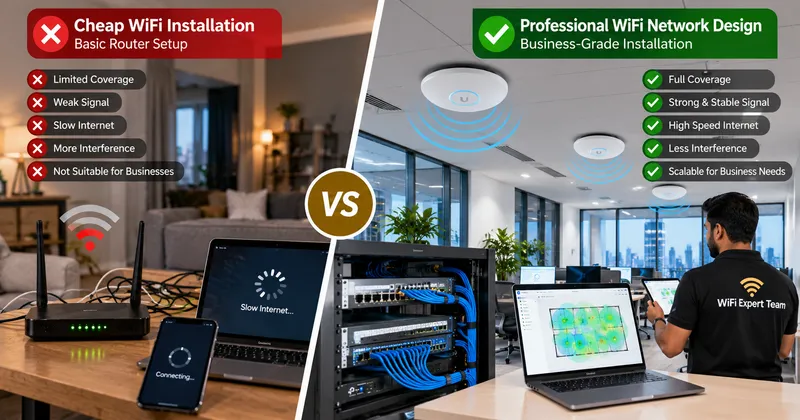
A common mistake is expecting a single wireless router located in a hallway cabinet to cover a large multi-room apartment or villa. Dense concrete walls absorb high-frequency 5GHz signals, causing devices in distant rooms to fall back to saturated 2.4GHz bands.
A professional network design solves this by distributing load across multiple access points connected via high-speed Cat6 Ethernet:
This architecture ensures seamless roaming without signal dropouts, dynamic load-balancing, and dedicated bandwidth for work and entertainment throughout the evening.
8 Steps to Diagnose Your Evening WiFi Performance
Book a Same-Day WiFi Optimization Visit
Get an honest assessment from our trusted engineers. Fix evening speed drops permanently.
WhatsApp: +971 54 343 9767Serving Customers Across the UAE
Looking for reliable WiFi troubleshooting and network support .near Me? WiFi Expert Team deploys certified technicians across all Emirates:
Dubai Residential & Commercial Areas
Downtown Dubai, Dubai Marina, Jumeirah, Palm Jumeirah, Arabian Ranches, Emirates Hills, Mirdif, Al Khawaneej, Business Bay, JLT (Jumeirah Lake Towers), Al Barsha, Deira, Bur Dubai, Dubai Hills Estate, DAMAC Hills, JVC, and Dubai Silicon Oasis.
Sharjah Local Areas
Al Majaz, Al Nahda Sharjah, Al Taawun, Al Qasimia, Muwaileh, Al Khan, Al Suyoh, Al Rahmaniya, Industrial Areas, and University City.
Abu Dhabi Local Areas
Al Reem Island, Yas Island, Saadiyat Island, Khalifa City, Al Khalidiyah, Al Bateen, Mohammed Bin Zayed City (MBZ), Al Raha Beach, and Mussafah.
Ajman & Northern Emirates
Ajman Local Areas: Al Nuaimiya, Al Rashidiya, Al Jurf, Al Rawda, Emirates City.
Northern Emirates: Ras Al Khaimah, Fujairah, and Umm Al Quwain.
Industries We Serve
Our network optimization engineers diagnose and resolve speed bottlenecks across diverse residential and commercial facilities:
Brands We Support
We work with almost all popular router, access point, and Wi-Fi system brands available in the UAE market.
Ready for Fast, Stable WiFi Day and Night?
Book a certified technician today. Transparent diagnostics, reliable execution, and cost also affordable.
WhatsApp: +971 54 343 9767Verified Customer Reviews
Real experiences from residential and business clients who trust our network optimization services.
"I had a great experience with WiFi Expert Teams! My router stopped working after a reset, and I was struggling to get it back online. The team was quick to respond, and their technicians were knowledgeable and efficient in diagnosing and fixing the issue. They not only got my router working again but also optimized my WiFi network for better performance. The service was professional, and the turnaround time was impressive. I highly recommend WiFi Expert Teams for anyone facing WiFi or router issues!"
"its very heplful they fix our wifi immediately, good service thanks very much to them."
"Best service ever and so fast really appreciate"
"Excellent service and very professional"
Frequently Asked Questions (FAQs)
1. Why is my WiFi fast during the day but noticeably slow at night?
In the evening, multiple household members stream high-definition media, game online, and browse simultaneously. Additionally, in apartment buildings, neighboring wireless networks become highly active, generating severe channel interference and congestion.
2. Will upgrading my internet subscription fix my evening WiFi lag?
Not necessarily. If your bottleneck is caused by thick concrete walls, weak wireless signal distribution, or radio interference, paying for extra internet speed will not improve device performance. A proper assessment finds the true root cause.
3. How can I verify whether my router or my ISP is responsible?
Connect a computer directly to your router using an Ethernet cable. If wired speeds remain fast while wireless speeds crawl, your incoming ISP line is working properly and the issue is strictly inside your local WiFi network.
4. Do plug-in WiFi repeaters or extenders solve the issue?
Rarely. Basic extenders often repeat already degraded wireless signals and cut your available bandwidth in half. Professionally installed wired access points or high-performance tri-band mesh systems deliver far superior evening stability.
5. How does WiFi Expert Team fix evening WiFi bottlenecks?
Our trusted technicians perform on-site RF spectrum analysis, reconfigure non-overlapping channels, implement QoS prioritization, and install strategically positioned access points while keeping your project cost also affordable.
Ongoing Support for Every Product We Deliver
Our commitment doesn’t end with installation. We provide reliable ongoing support and maintenance to help keep your network fast, secure, stable, and performing smoothly throughout the year.
Get Your Free WiFi Speed & Coverage Audit
Need an honest diagnosis to permanently eliminate evening buffering and dropped connections? Contact our certified team today.
Helpful Resources & Guides
Related Topics : Related Network Services
Why does WiFi slow down at night Dubai, fix evening internet buffering UAE, apartment WiFi channel interference, peak hour internet troubleshooting, router memory overload fix, WiFi speed test wired vs wireless, wireless access point installation near me, home WiFi dead zone repair, gaming ping drop solutions Dubai, affordable WiFi engineer UAE.